Keep your pet business supplies stocked without the guesswork
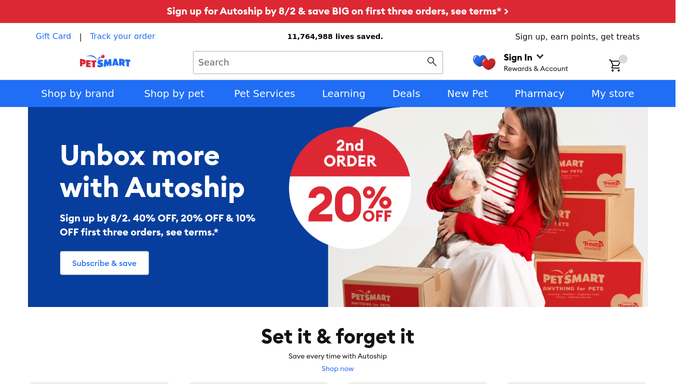
Every Monday, WebRun opens PetSmart, checks your order history against the standing supply list your business reorders on a schedule, drafts the reorder cart for anything due, posts the draft to Slack for approval, and escalates anything now overdue to Telegram.
- No credit card
- Under $0.01 per run
- Cancel anytime
What does WebRun do on every run?
The exact actions WebRun takes, in order - in plain language, so you can adjust anything.
-
WebRun signs in and gets to work
Opens
petsmart.comin a real browser with your saved login - no setup, no API keys. -
1
PetSmart - check order history against your supply list
petsmart.com

WebRun opens PetSmart to check order history against your supply list. - Open your PetSmart order history
- Compare the last order date for each supply item against its usual reorder cycle
- Add anything due for reorder to a draft cart
Done when A draft cart exists for every item due for reorder.
-
2
Slack - post the draft reorder for approval
slack.com How to Automate Slack
WebRun opens Slack to post the draft reorder for approval. - Post the draft cart contents with quantities and estimated total
- Ask for approval before checkout
- Leave the cart unpurchased pending a yes
Done when The draft reorder is posted to Slack for the team to approve.
-
3
Telegram - escalate anything overdue
telegram.org How to Automate Telegram
WebRun opens Telegram to escalate anything overdue. - Check for supply items now past their usual reorder cycle
- Post those separately with how many days overdue
- Flag the most urgent item at the top
Done when Every overdue supply item has been escalated to Telegram.


How do I keep pet business supplies stocked without checking manually?
WebRun checks your PetSmart order history every Monday against your standing supply list, drafts a reorder cart for anything due, and posts it to Slack for approval, escalating overdue items to Telegram. A pet business keeps food, litter, and grooming supplies stocked without anyone building the cart from memory each week.
- Supplies never run out without warning
- Nothing is purchased without a Slack approval first
- Overdue items get a faster, separate escalation
Built for pet grooming and boarding businesses · pet daycare operations · small pet retailers · multi location pet businesses
How is each run configured?
Secure by default
Connect once, stays signed in
WebRun signs in once and keeps each session in a persistent environment, so every run picks up right where it left off.
Every action is checked against this policy before it runs.
Questions, answered
Does it complete the purchase automatically?
No. WebRun only builds the draft cart and posts it for approval. Checkout and payment are completed by a person, every time.
How does it know what's due for reorder?
It reads your PetSmart order history and learns the usual gap between orders for each supply item, then flags anything past that cycle.
Why do overdue items go to Telegram as well?
An overdue supply item risks running out completely, so it gets a faster, separate channel instead of waiting in the regular Slack digest.
Related templates
Put this on autopilot.
Turn it on in minutes - or have our team set it up for you.