Turn your best new Loox reviews into ready to use marketing
Every morning, WebRun opens Loox, reads the photo and video reviews that came in since the last check, posts the standout 5 star ones to Microsoft Teams, and creates a Trello card for the marketing team to feature the best review in an upcoming campaign.
- No credit card
- Under $0.01 per run
- Cancel anytime
How do I turn new Loox photo reviews into marketing content?
WebRun checks Loox every morning for new photo and video reviews, posts the standout 5 star ones to Microsoft Teams, and creates a Trello card so marketing can feature the strongest one in an upcoming campaign. Nothing posts publicly on its own, so great customer content gets found the same day, not buried in a dashboard.
- Standout reviews get found the same day they arrive
- Marketing gets a ready made content queue in Trello
- Nothing goes out publicly without the marketing team's own review
Built for Shopify brands using Loox · ecommerce marketing teams · DTC brands · social proof marketers
What does WebRun do on every run?
The exact actions WebRun takes, in order - in plain language, so you can adjust anything.
-
WebRun signs in and gets to work
Opens
loox.ioin a real browser with your saved login - no setup, no API keys. -
1
Loox - read new photo and video reviews
loox.io
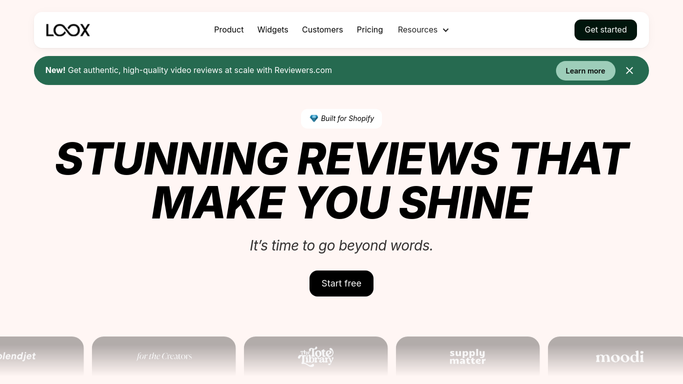
WebRun opens Loox to read new photo and video reviews. - Open Loox and list reviews submitted since the last check
- Read the rating and check which include a photo or video
- Flag 5 star reviews with strong photo or video content
Done when Every new review has been read and the standout ones flagged.
-
2
Microsoft Teams - post the standout reviews
microsoft.com How to Automate Microsoft Teams

WebRun opens Microsoft Teams to post the standout reviews. - Post each flagged review with its rating and product
- Include a link back to the review in Loox
- Group multiple standout reviews into one post
Done when Today's standout reviews are posted to the team channel.
-
3
Trello - create a card to feature the best review
trello.com How to Automate Trello

WebRun opens Trello to create a card to feature the best review. - Create a card for the strongest review of the day
- Attach the product name and a link to the review
- Place it in the marketing team's content ideas list
Done when A Trello card exists for the marketing team to act on.
How is each run configured?
Secure by default
Connect once, stays signed in
WebRun signs in once and keeps each session in a persistent environment, so every run picks up right where it left off.
Every action is checked against this policy before it runs.
Questions, answered
Does it reply to reviewers or request reviews?
No. WebRun only reads reviews Loox has already collected and surfaces the best ones. Requesting or replying to reviews stays inside Loox, done by you.
What makes a review get flagged as standout?
A 5 star rating with a photo or video attached. Reviews without media or with a lower rating are skipped.
Does it post the review publicly anywhere?
No. It only posts internally to Microsoft Teams and creates a Trello card. Using a review in a public campaign is a separate step your marketing team takes.
Related templates
Put this on autopilot.
Turn it on in minutes - or have our team set it up for you.